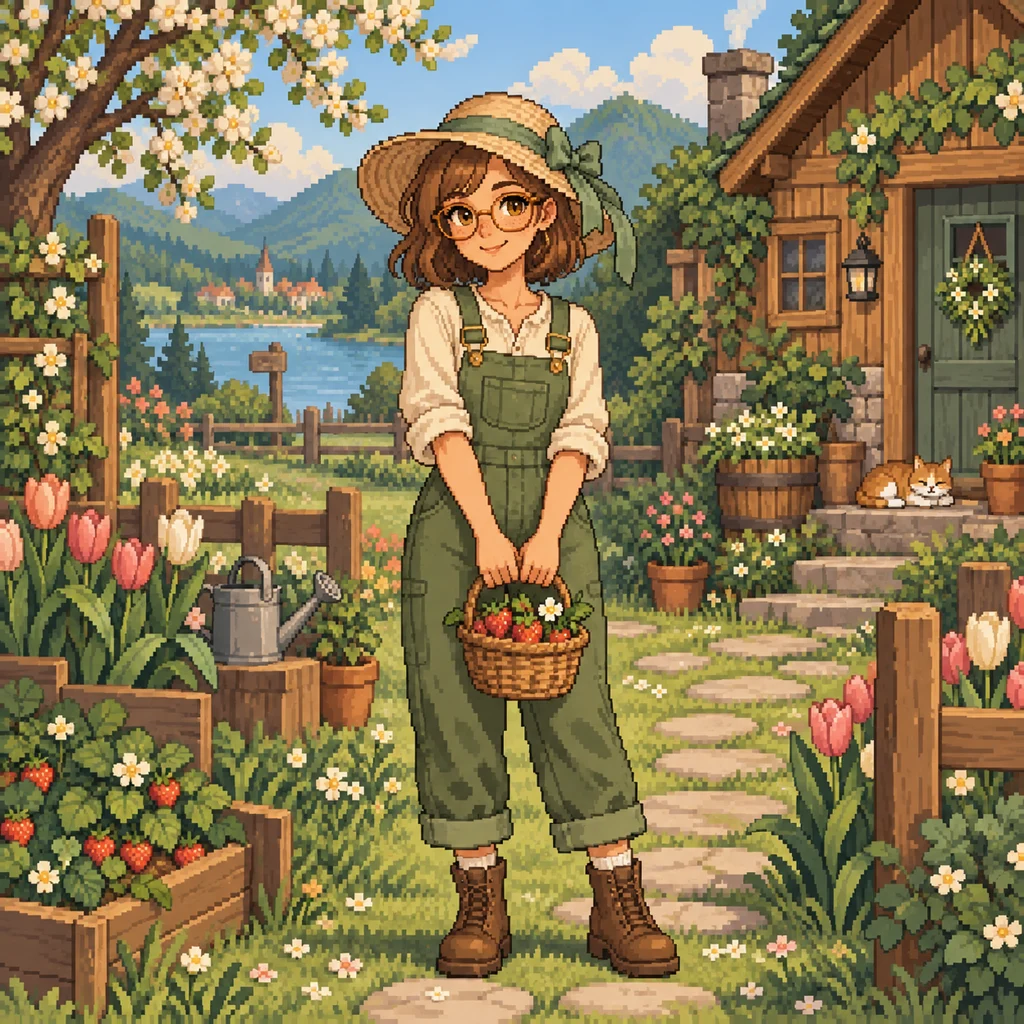
The strawberry farmer
A straw hat, round glasses and sage overalls tell a story before a single line of dialogue. Try a full-body composition when the outfit matters.
YOUR NEXT CHAPTER IN THE VALLEY
A new farmer. A familiar face. A little pixel magic. Use our Stardew character creator to turn a description or reference photo into a cozy, original character portrait.
Text or one reference photo · Portraits, full-body characters & avatars · One image per generation
 Concept preview
An original AI concept illustration. Generate to see your own result.
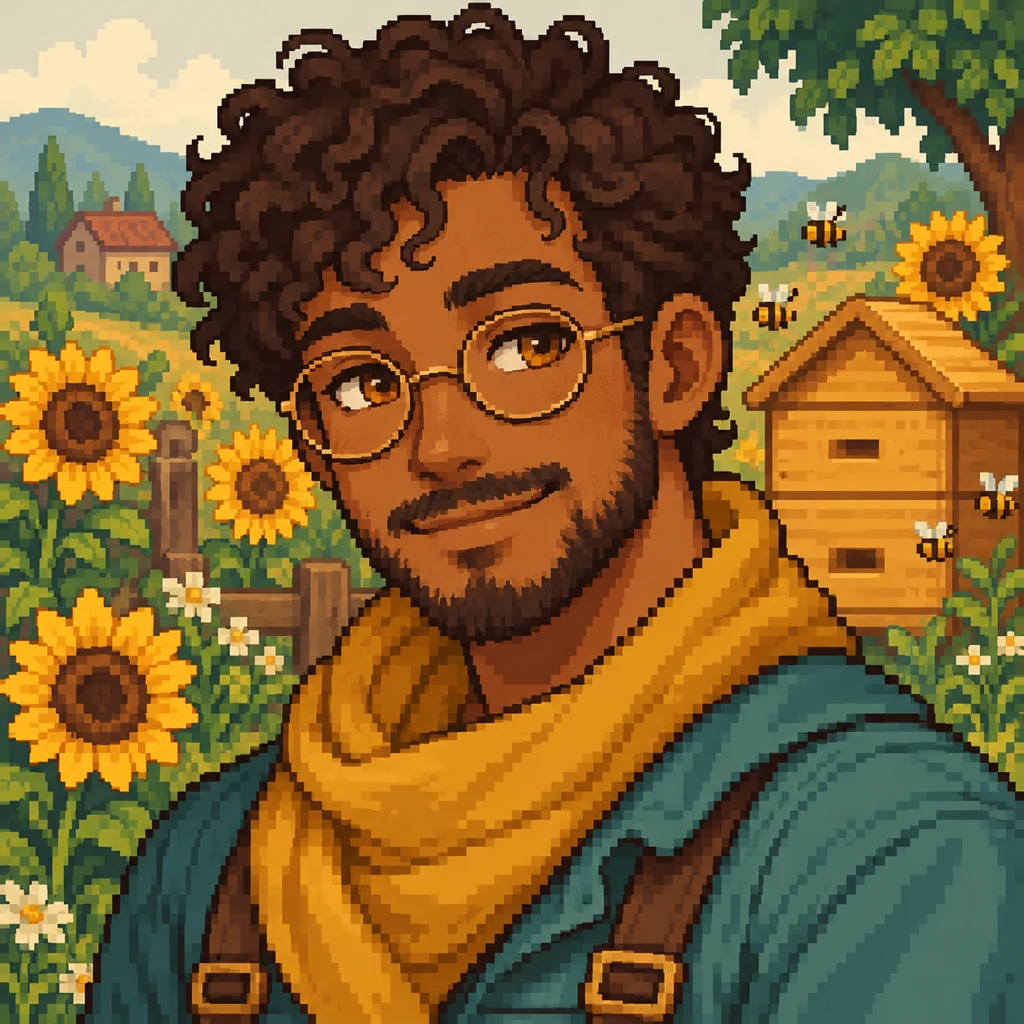
Start with a character you can picture. These original concept illustrations show three directions for your Stardew character creator: a spring farmer, a friendly beekeeper and an autumn adventurer. Play the short image showcases, then make the prompt your own.
A straw hat, round glasses and sage overalls tell a story before a single line of dialogue. Try a full-body composition when the outfit matters.
A face-first composition keeps curls, glasses and a warm smile easy to recognize. A quiet background makes the portrait feel ready for a conversation.
Build a cute Stardew character around one memorable detail, such as a copper lantern. Plum fabric and autumn leaves create a clear seasonal palette.
AI-generated concept illustrations. Videos are edited image showcases; this tool generates still images. Your results will vary.
Go from a rough idea to a character you can save in three steps. The Stardew character maker keeps the description, composition and credit cost together in the workspace.
Choose a sample or write your own appearance, hairstyle, clothes and expression. Add one clear reference photo if you want the Stardew character creator to use a familiar face as its starting point.
Select a dialogue portrait, a full-body farmer or a profile avatar. Use a square canvas for an icon or a tall canvas for an outfit. Check the displayed credit cost, sign in and generate.
Preview the finished image and download it. Your recent tasks remain available here when you return. For another variation, change one detail in the prompt and generate a new image.
A FACE WITH A STORY
Give your farmer the portrait you imagine during every conversation. Describe the shape of the hair, a favorite accessory and the expression that fits their personality. Our Stardew character creator turns those details into a new pixel-inspired illustration.
Creating your own Stardew Valley portrait works best with a simple backdrop and a face large enough to read. A Stardew portrait maker can help explore an original character; check the eyes, glasses and hairline before choosing your favorite result.
TAKE YOUR FARMER WITH YOU
Use a centered portrait for a gaming profile, community avatar or character introduction. The avatar composition leaves breathing room around the face so a circular crop is less likely to cut off the hairstyle.
As a Stardew avatar maker and AI Stardew Valley profile maker, this tool creates the character image for your profile. Add your farmer’s name, birthday and favorite gifts separately in your preferred editor. It does not generate a filled-out profile sheet.
Use the Stardew character creator as a Stardew Valley OC maker: start with an original personality, then choose a few visual details that express it. These Stardew Valley character creation ideas keep prompts specific without crowding the picture.
A bob haircut, a wide hat or a long scarf gives a pixel-art Stardew Valley character a shape you can recognize. Use one strong accessory instead of several tiny decorations.
Treat the workspace as a Stardew outfit creator for visual concepts. Try sage overalls with a cream shirt, or a plum scarf with a tan jacket. Describe materials and footwear for a full-body result.
Spring blossoms, summer sunflowers or autumn pumpkins give your farmer a setting. Add a relaxed smile, thoughtful look or adventurous grin. Change one element at a time to compare ideas.
Upload one JPEG, PNG or WebP image, up to 10 MB and 64–6000 pixels on each side. Choose a clear, well-lit face with visible hair and minimal obstruction. Tell the Stardew character creator which features matter most, then describe the clothes and setting you want.
The photo guides an AI reinterpretation. Facial details and colors can change, so inspect the result before you use it. For character continuity across more scenes, continue with the image-to-image tool.
Consistent character imagesThis Stardew Valley pixel art maker creates a finished illustration. A portrait, profile avatar and full-body character each serve a different composition; none is automatically an in-game character sprite.
The Stardew character creator does not edit saves, install portrait mods, export animation frames or guarantee a 64 × 64 pixel grid. If you are making a mod, plan for manual resizing, cleanup, expression sheets and packaging in your own art tools. This is an independent creative tool, unaffiliated with Stardew Valley or ConcernedApe.
Each Stardew character creator request makes one image. Text-only and photo-guided generation use the same displayed credit price. A completed variation is a new generation; failed generations return the credits charged for that task.
Compare credit plansIt is a tool for making an original character image with the cozy look of a farming RPG. This Stardew Valley character creator uses your description and an optional reference photo to produce pixel-inspired portraits, farmer illustrations and profile avatars.
Yes. Describe the hairstyle, colors, clothing, accessories and expression in your prompt. Use full-body mode when boots or an outfit matter. The Stardew character creator interprets those instructions with AI; it does not offer a fixed list of game clothing IDs.
Yes. Sign in and upload one clear JPEG, PNG or WebP photo. Add a description and choose portrait or avatar mode. The reference guides the image, but an exact likeness is not guaranteed.
When your generation finishes, use Download image beneath the result. You can reopen an image from your recent characters and download it there, too. Downloading an existing result does not start a new generation.
You can create the portrait for your original character’s profile. This Stardew portrait creator does not fill in biography fields or build a complete character sheet. Add that information separately after downloading your image.
No. The output is a standalone still image, not an installable mod, save-file edit or animation-ready sprite sheet. Game assets need additional pixel cleanup, sizing and packaging.
The generation tool produces still images. The videos on this page are edited showcases of concept illustrations. To explore motion after making a character, visit our separate Animate Image tool.
You can read the page and try example prompts before signing in. An account and enough credits are required to generate. The cost appears before submission, and credits are returned when a task fails. A connection interruption can be retried without submitting the same request twice.
Open the Stardew character creator, choose a starting prompt and add the detail that makes the character yours.
Create my characterProudly Featured On


 What Is Ai Tools
 AI Tool TrekRightAI Tools Diresctoryfaxianai








 Hunt for Tools






















 What Is Ai ToolsAI Tool Center
 AIMonstr
 AI Nav Site











 AI Toolz DirAI Tools Directory
 SeekAIs



 What Is Ai ToolsAI Tool TrekRightAI Tools DiresctoryfaxianaiHunt for ToolsWhat Is Ai ToolsAI Tool CenterAIMonstrAI Nav SiteAI Toolz DirAI Tools DirectorySeekAIs